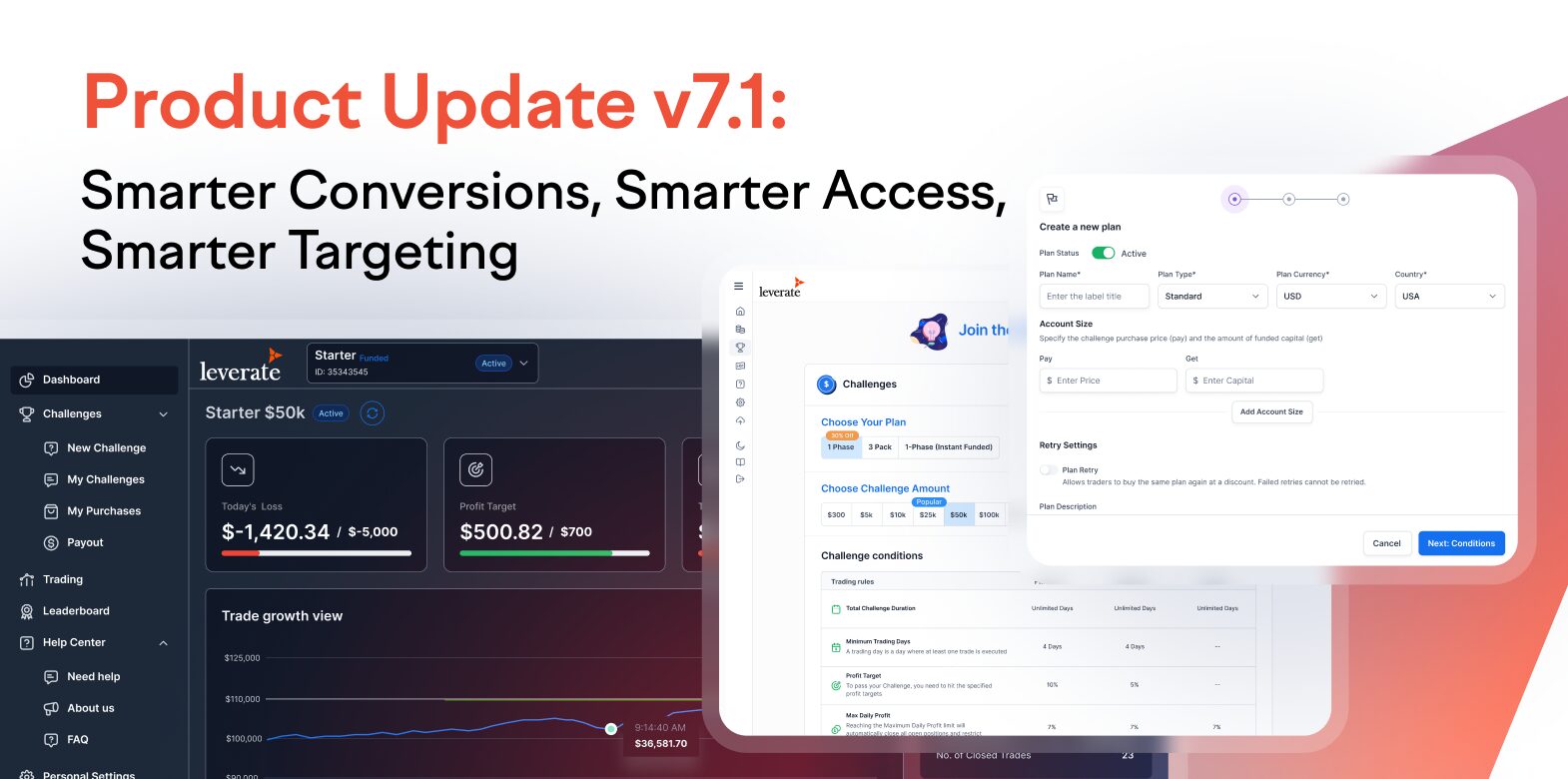
As the expectations of traders evolve, so must the systems that onboard, guide, and retain them. With Product Update v7.1, we have introduced three essential tools to support conversion rates, simplify access, and personalize plan offerings, all designed to fit seamlessly into your existing white-label setup.
Now part of your turnkey prop ƒstack, these capabilities are embedded into the Broker Portal, Prop Dashboard, and CRM with full control and zero development overhead.
Scale your brokerage today!
CRM & Client Portal, Trading Platform, MT4 & MT5 - All built for you.
Scale NowBroker Portal: Plans Localization
Target by Country. Configure by Currency. Convert with Precision.
As firms scale into diverse regions and payment ecosystems, using a single global plan model often causes more harm than good. The problem? All traders, regardless of region or currency, saw all plans, resulting in mismatched expectations, failed payments, and low funnel performance.
The Solution:
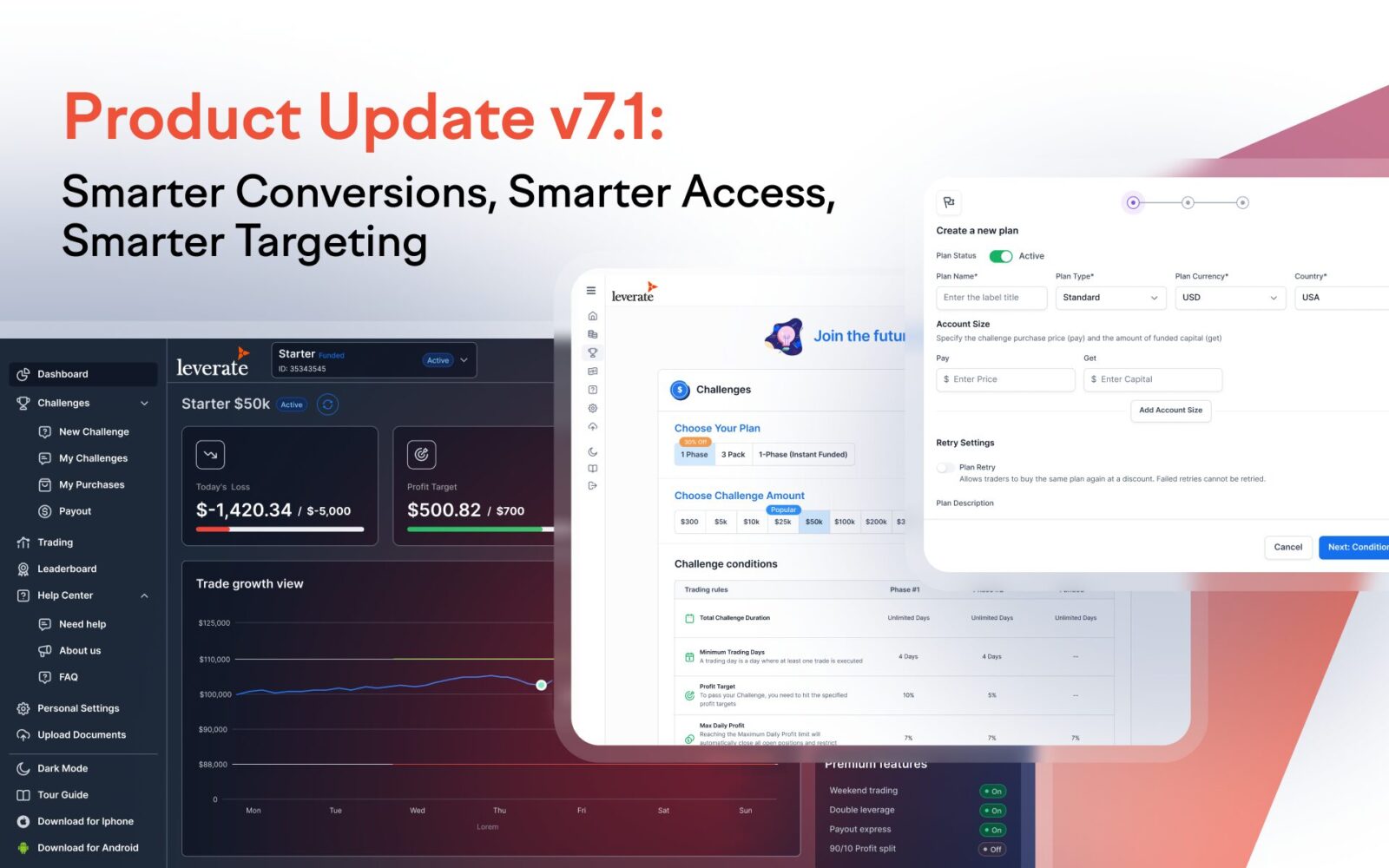
With v7.1, you can now configure which plans appear by country and base currency, all from the Broker Portal, no dev work needed.
What You Can Do:
- Set a base currency per plan (e.g., USD, EUR)
- Limit visibility to one or more countries, or apply globally
- Leave legacy plans unchanged until you’re ready to update them
The Result:
✅ Up to 3x increase in localized plan conversions
✅ –31% fewer support tickets related to plan visibility
✅ Smarter regional funnels that convert better and scale faster
For Prop Firms: This empowers you to localize pricing strategies, align offers with regional payment habits, and increase plan relevance, especially important when running geo-targeted funnels or scaling across new regions.

Prop Dashboard: Filtered Plan Display
To align the front-end experience with backend targeting, the Prop Dashboard now automatically filters plans shown to traders.
**What traders see:**Only the plans matching their base currency and country, or those marked “All.”
Example: A trader in Germany with a EUR account sees only EUR plans targeted to Germany or marked global.
For Prop Firms: This feature prevents mismatched purchases, simplifies the trader journey, and improves plan selection conversion.

Max Daily Loss Metrics
Full Risk Visibility for Smarter Challenge Success
Unclear loss limits are one of the top reasons traders fail challenges and churn. With Max Daily Loss Metrics now built into Prop Dashboard, traders have all the tools to self-monitor in real time.
Included in this update:
- Countdown timer to reset
- Live equity buffer showing how close they are to violation
- Onboarding dialogues to explain the logic
For Prop Firms: This improves trader satisfaction and transparency, reduces refund claims, and increases the number of challenges successfully completed, without changing your challenge logic.

Gmail Registration & Login
Smarter Onboarding for Prop Flows
We’re making onboarding faster and easier, starting with Gmail sign-up.
Now live for Prop flows, this feature removes password friction and helps drive higher sign-up completion rates.
What’s included:
- One-click Gmail sign-up and login (web & mobile)
- Fully localized experience
- Simple, one-time setup via Google Console
This is the first in a series of updates aimed at helping Prop firms deliver smoother, more conversion-friendly user journeys.

Why This Release Matters
v7.1 is about refining your conversion funnel at every stage, from plan visibility to onboarding to challenge success.
- Plans Localization ensures regional relevance, improving CTR and purchase intent.
- Filtered Plan Display simplifies trader choice and reduces confusion.
- Max Daily Loss Metrics build confidence and reduce early drop-offs.
- Gmail Login shortens onboarding time and eliminates common friction.
These tools don’t require any code, plug-ins, or integrations. They’re now part of Leverate’s ecosystem, configurable, auditable, and ready to activate from your Broker Portal.
Ready to Launch?
All updates in v7.1 are live across Leverate environments. Contact us to activate and align them with your business strategy.