








Give Your Traders 100+ Trading Indicators Inside xChart
In its largest expansion to date, the xChart indicator library now spans 100+ indicators, with new search, Favorites and Recently Used sections that keep every one of them easy to reach.
A trading indicators library is only as useful as a trader’s ability to find the right tool inside it. Leverate has delivered the largest indicator expansion in xChart’s history, adding a full set of new technical studies in a single release and taking the library to 100+ indicators, the industry-standard breadth professional traders expect. The expansion arrives with instant search, alphabetical ordering, and dedicated Favorites and Recently Used sections, so a deeper library stays fast to work with. For brokers running xChart, this platform upgrade expands what traders can analyse on the same screen, with every indicator fully customisable and no new tool to license or support.
Why Indicator Depth Matters to Today’s Traders?
Charting has become one of the most-used parts of any trading platform. Traders open a chart before almost every decision, and the breadth of tools available there shapes how much of their analysis happens on the broker’s own screen.
Professional traders now arrive with clear expectations: a broad set of trend, momentum, volume and volatility studies, each adjustable to their own strategy. A broker’s chart that offers that breadth natively becomes the natural place for analysis as well as execution.
The expanded library covers each of those families. Trend tools such as moving-average variants and Ichimoku help traders read direction. Momentum oscillators such as RSI, MACD and Stochastic help them gauge strength and timing. Volume and volatility studies, such as On-Balance Volume, Bollinger Bands and ATR, add context around participation and range. With over 100 indicators to choose from, traders can build the exact combination their strategy calls for, directly on the broker’s chart.
For brokers, a rich trading indicators library keeps research, decision and execution together in one ecosystem. When traders can find and configure every study they need inside the broker’s own platform, the chart becomes their primary workspace, and that is exactly what this expansion is built to support.
Why Does a Broad Indicator Library Matter to Brokers?
A broad indicator library keeps a trader’s full workflow in one place. When analysis and execution happen on the same screen, traders spend more time on the broker’s platform, brokers gain richer engagement insight, and the path from a trader’s decision to their trade stays inside an environment the broker controls.
Inside the xChart Indicator Expansion
This is the largest single expansion of xChart’s indicator panel to date. One release takes the library to 100+ technical studies, covering the industry-standard indicator set professional traders already know and use.
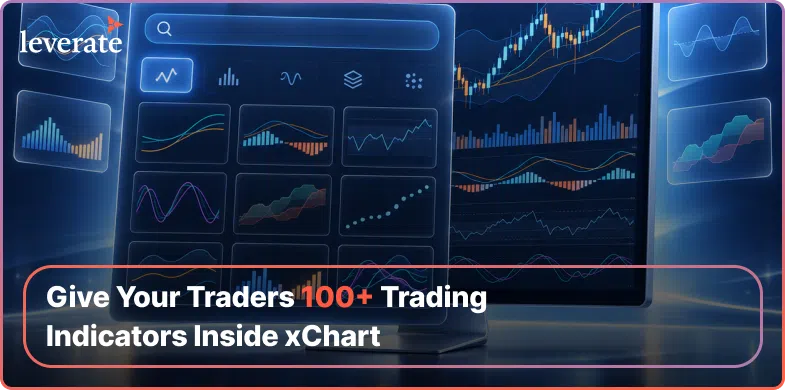
Alongside the new studies, Leverate redesigned how the panel organises them. A search bar sits at the top of the indicator panel, so a trader typing “RSI” or “Ichimoku” finds it in one action. The full list is still ordered A-Z for anyone who prefers to browse, but search removes the need to know exactly where an indicator sits in that order.
Two further sections sit alongside the full list: Favorites, where a trader pins the studies they return to on every chart, and Recently Used, which surfaces whatever was applied in the last session without the trader hunting for it again. Together, search, Favorites and Recently Used put every one of the 100+ trading indicators within two or three actions.
Every indicator in the expanded library carries full parameter configuration: periods, colours and line styles can all be adjusted per study, so every trader can tailor each study to their own strategy. The experience is consistent across desktop and tablet, in light and dark themes, and in right-to-left layouts, so the update behaves the same way regardless of where or how a trader accesses xChart.
That level of customisation is what makes a large library feel personal. A short-term trader might run a fast-moving average in a bright accent colour, while a swing trader prefers a longer period in a subtler tone with a dashed line. Each can set those preferences study by study and keep their charts clear and readable as they layer more analysis onto them.
When Leverate rebuilt xChart, the platform launched with a structured set of chart types, timeframes, drawing tools and indicator groups designed to bring charting and trade execution into one workspace. This release builds on that foundation, going deeper into the indicator groups traders use for technical analysis while keeping the same trade-from-chart workflow they already know. The library grows inside a charting engine Leverate controls end to end, so every new study is native to xChart.

Trading Indicators in Practice: CFD and Prop Scenarios
The value of a larger trading indicators library shows up differently depending on who is using it.
For a CFD broker, consider a trader running a short-term strategy across multiple instruments in a single session. With the expanded library, that trader can search the xChart panel directly for the oscillator, volume study or moving-average variant their strategy calls for, apply it with full parameter control, and save it to Favorites so it is one click away on the next instrument they open. The analysis and the execution stay on the same screen, inside the broker’s own branded platform.
For a prop firm, the scenario is different but the mechanics are the same. A trader working through an evaluation stage often repeats the same core set of studies across every account and every asset class they are tested on. The Recently Used section means that repeated setup does not have to be rebuilt chart by chart; whatever was applied last session is there without a search. Consistency of analysis across accounts matters in an evaluation context, and a library that is quick to reach supports that consistency on every chart.
| Capability | What xChart Now Offers |
| Indicator count | Over 100 covering the industry-standard indicator set |
| Discovery | Instant search bar plus alphabetical A-Z ordering across the full panel |
| Personalisation | Dedicated Favorites section and a Recently Used section for one-click access |
| Configuration | Full parameter control per indicator, including periods, colours and line styles |
| Platform reach | Consistent across desktop and tablet, light and dark themes, and right-to-left layouts |
Both scenarios point to the same underlying change: a broker is not only offering more studies, they are offering a faster route to the ones a trader actually uses. That is the difference between a library that looks comprehensive on a feature list and one that holds up inside a live trading session.
For brokers, the expansion is also a story worth telling. A library of 100+ indicators that is easy to search and fully customisable gives marketing and sales teams a concrete platform upgrade to share with existing clients and to highlight during onboarding. It shows continued investment in the tools traders use every day, inside a platform that carries the broker’s own brand.

How Brokers Can Roll Out the Expanded Library
The expanded trading indicators library is delivered as a feature flag, which means brokers control when and how their traders see it rather than receiving it as an automatic, all-at-once change. Brokers can enable it for a test group of accounts first and extend it across their client base at their own pace.
How Do Brokers Turn on the Expanded xChart Indicator Library?
Brokers enable the expanded library through a feature flag that supports a staged rollout. A broker can release the update to a test group of accounts first, then extend it across their full client base when ready, keeping full control over timing.
The expanded library is part of xChart and follows each broker’s existing licensing and platform configuration. Leverate account managers can help each broker plan the rollout that best fits their client base.
To get the most from the launch, brokers can plan three simple steps. First, brief the support team on the new search, Favorites and Recently Used sections so they can guide traders from day one. Second, preview any custom branding or theme settings against the expanded panel. Third, choose where to start the staged rollout: with the most active trading segment, where the deeper library will be used immediately, or with newer accounts, where it becomes part of onboarding from the start.
Once the library is live, the Favorites and Recently Used sections do much of the onboarding work themselves. Each trader builds a personal shortlist within their first few sessions, so the full depth of the library is always available while the tools they rely on most stay one click away.
Frequently Asked Questions
What is the xChart indicator library expansion?
xChart’s indicator library has received its largest expansion to date, taking the total to 100+ technical indicators covering the industry-standard set professional traders use. The panel also adds instant search, alphabetical ordering, and dedicated Favorites and Recently Used sections, making the larger library easier to navigate during a live session.
Who is this expansion for?
The expanded trading indicators library is available to both CFD brokers and prop firms running xChart, since every trader analysing a chart benefits from a deeper and more searchable indicator set. The specific value differs by context: CFD traders often want niche or less common studies, while prop traders benefit from consistent, fast-to-reach setups across evaluation accounts.
What does the expansion give traders?
Traders get a professional-grade set of 100+ indicators, each fully customisable, inside the broker’s own platform. Instant search, Favorites and Recently Used sections make any study quick to reach, so traders can complete their full technical analysis inside xChart, right next to where they trade.
How does the new indicator panel work?
The indicator panel now opens with an instant search bar at the top, so a trader can type an indicator’s name and find it immediately. Below that sits the full alphabetical list, along with a Favorites section for pinned studies and a Recently Used section that surfaces whatever was applied in the previous session.
What does this change commercially for a broker?
A deeper, easier-to-navigate trading indicators library gives brokers a stronger reason for traders to keep their full analysis workflow inside the broker’s own platform rather than splitting it across an external charting tool. This platform upgrade strengthens xChart’s position as the trader’s primary workspace and gives brokers a visible, professional-grade enhancement to share with their clients.
How does a broker activate the expanded library?
The update is delivered through a feature flag, so brokers decide exactly when their traders see it. Rollout can be staged, so a broker can release it to part of their client base first and extend it further at their own pace, with support from their Leverate account manager.
What does the expanded library integrate with inside the Leverate ecosystem?
The expanded indicator library sits inside xChart, Leverate’s native charting and trade-from-chart engine, so every new indicator works within the same order path, risk checks and account-group controls already configured for chart-based trading. No separate licence or external charting tool is required to access the new studies.
Is the expanded library available in every jurisdiction?
Availability generally follows each broker’s existing licensing and platform configuration, since the update sits inside xChart rather than introducing a new regulated capability. Brokers operating under specific regulatory restrictions should confirm with their Leverate account manager before enabling the expanded library for client-facing accounts.
What does the expanded library cost?
The expanded indicator library ships as part of the existing xChart engine rather than as a separate add-on. Brokers can confirm commercial details for their account with their Leverate representative when planning their rollout.
How can brokers prepare for the rollout?
Brokers can brief their support team on the new search, Favorites and Recently Used sections, preview any custom branding or theme settings against the expanded panel, and choose whether to start the staged rollout with their most active trading segment or with new accounts.
See the expanded indicator library inside xChart. Contact your Leverate account team to request a walkthrough and a staged rollout plan.
Disclaimer:
This content is based on multiple sources and is provided for educational purposes only. It does not constitute financial, legal, or investment advice.